VisualCraft Editor
Build your tour with a visual drag-and-drop editor. Customise markers, points of interest and layouts, then see changes with a real-time preview.

Turn spaces into immersive virtual experiences. Build, customise and share 360° tours that give people a real feel for a place before they arrive.
Explore NestTrailA property viewing, a shop visit or a look around an office can begin online. NestTrail combines panoramic media with interactive points of interest to help visitors explore at their own pace.
Bring in equirectangular panoramas from a 360° camera, DSLR, mobile device or 3D rendering workflow. Add images, video and other media to give each scene context.
Explore NestTrail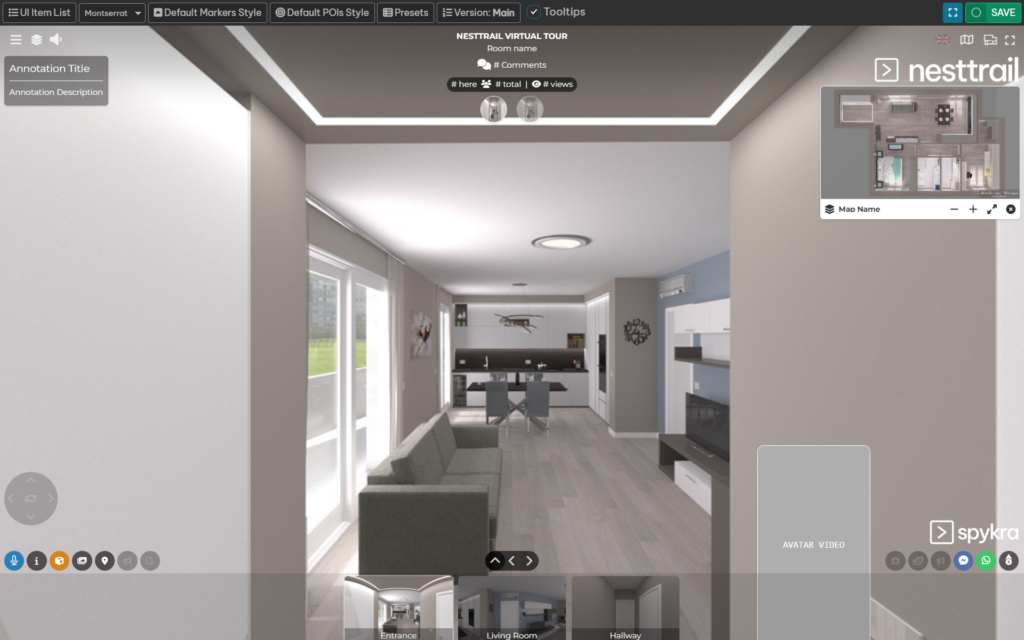
Build your tour with a visual drag-and-drop editor. Customise markers, points of interest and layouts, then see changes with a real-time preview.
Combine 360° images, video, live streams and Lottie animations. Add ordinary images alongside panoramic content to explain the details.
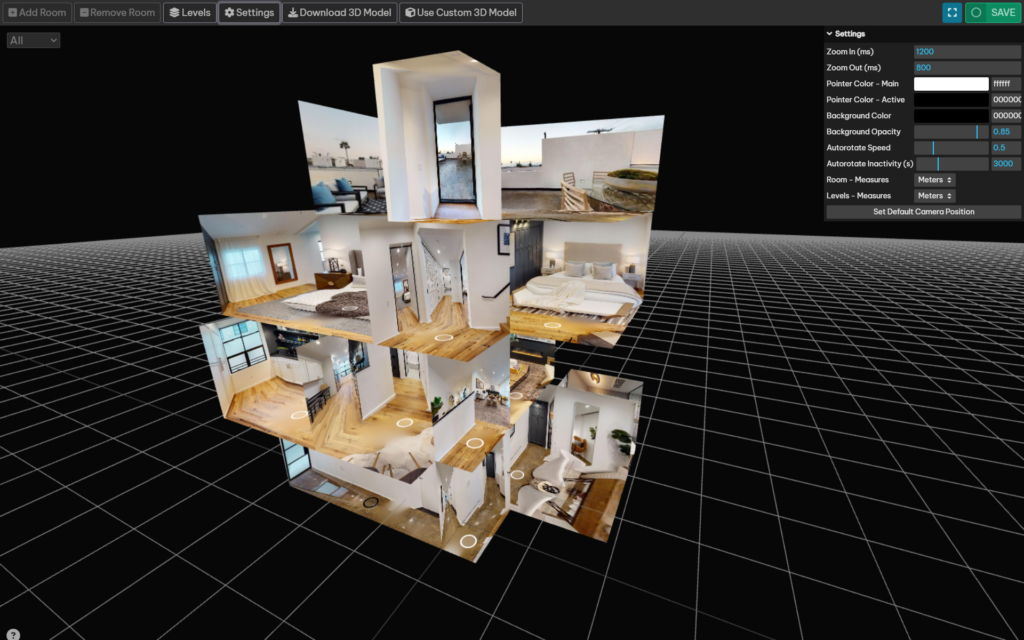
Give visitors a sense of the whole space with interactive dollhouse views. Work with multiple floors and layouts, then share or download your 3D models.
Bring a personal connection to a remote viewing. Use live sessions with video, audio and chat to answer questions while visitors explore.
Connect exploration with shopping. Present products in their setting, take direct orders and integrate your virtual shop with WooCommerce.
Understand how people engage with your tours through real-time analytics, filters and integrations. Use those insights to improve the experience.
Help property buyers understand a layout, give customers a feel for your shop, or let a prospective team member explore an office. NestTrail makes physical spaces accessible beyond opening hours and geography.
Visitors can explore in a browser on mobile devices, with VR experiences supported on compatible headsets. Interactive views and guided sessions offer different ways to connect with the same space.
Explore a live tourCapture or prepare panoramic images and gather the media that tells your story.
Arrange scenes, customise the tour and add useful points of interest in VisualCraft.
Add 3D context, rich media or virtual shopping features to suit your audience.
Invite visitors to explore, host a guided session and learn from visitor analytics.
NestTrail supports virtual experiences for homes, commercial properties, shops and offices. The same tools can help present other physical spaces through panoramic scenes and interactive content.
No. Visitors can explore browser-based tours on their devices. Compatible VR headsets offer another way to experience the space.
Yes. NestTrail offers virtual shopping with direct orders and WooCommerce integration, so visitors can discover products within the tour.
Visit NestTrail’s website for its current plans and included features. The website offers a free way to get started without a credit card.
Create a tour that brings your space closer to everyone.
Visit NestTrail A product by Spykra Technologies UK Ltd.